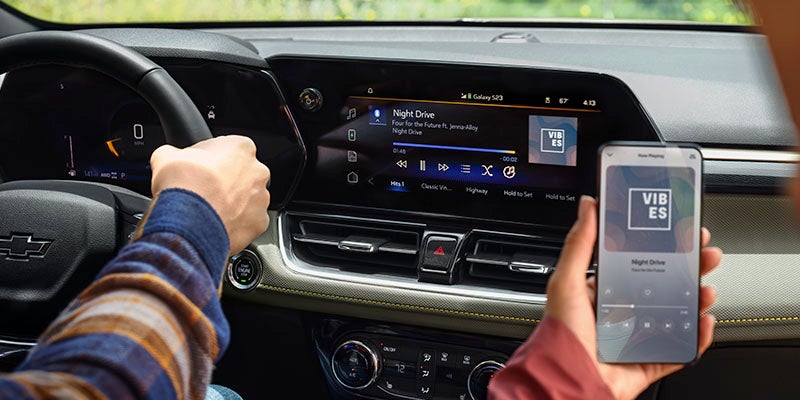





Apple CarPlay® is one of those rare bits of modern car technology that actually improves life instead of shouting at you in six different fonts. It takes the things you already use on your iPhone—maps, music, messages—and puts them neatly on your Chevy’s screen, right where you can see them, without turning the cabin into a rolling distraction factory. For drivers in Huntsville, TX, Apple CarPlay® is especially useful. Local routes, highway drives, errands across town—it all becomes simpler, faster, and far less irritating. Chevy tech features like Apple CarPlay® aren’t about gimmicks. They’re about making the car work for you, not the other way around. Step-by-Step Guide to Apple CarPlay® Setup Setting up Apple CarPlay® in your Chevy is refreshingly painless. No engineering degree required. Check Compatibility Your iPhone needs to be running iOS 7.1 or newer, and your Chevy must support Apple CarPlay®. Most modern models do, including the Chevrolet Silverado and Chevrolet Equinox. Connect Your iPhone Plug your iPhone into the USB port using a certified Lightning cable. Some newer Chevy models also support wireless Apple CarPlay®, which feels faintly like witchcraft and works just as well. Enable Apple CarPlay® The infotainment screen will ask for permission to launch Apple CarPlay®. Approve it, follow the prompts, and resist the urge to overthink it. Customize the Layout Rearrange apps on the screen so the important ones—navigation, music, messages—are front and center. This is your dashboard now. Make it sensible. Once this is done, Apple CarPlay® becomes part of the car, not an accessory hanging off it. What You Can Do With Apple CarPlay® in Your Chevy With Apple CarPlay® up and running, your Chevy’s infotainment system suddenly becomes clever instead of confusing. Navigation That Actually Helps Apple Maps, Google Maps, and Waze deliver live traffic updates and clear directions, which is vastly better than guessing and hoping for the best. Hands-Free Communication Calls and texts can be handled through Siri voice commands, meaning your hands stay on the wheel and your attention stays where it belongs. Entertainment Without Messing Around Stream music, podcasts, and audiobooks from apps like Spotify, Apple Music, or Pandora directly through your Chevy’s sound system. Calendar and Reminders Your schedule appears right on the screen, which is handy when life insists on being busy. All of it works smoothly, quickly, and without turning the drive into a technology wrestling match. Get Apple CarPlay® Working the Right Way Apple CarPlay® setup is one of the simplest upgrades you can make to your new Chevy, and one of the most satisfying. Navigation improves. Entertainment improves. The entire driving experience becomes calmer, cleaner, and far more enjoyable. If you’re driving in Huntsville, TX and want help getting everything set up properly, the team at Wiesner of Huntsville can walk you through it, answer questions, and make sure your Chevy tech features are working exactly as intended —before you even leave the lot.